SL1680 Recovery Mode
This article explains how to enter recovery mode and flash a new image into Toradex Luna SL1680.
Prerequisites
- A USB Type-C cable
- A jumper connector
- A Linux host computer
libusbinstalled
Enter Recovery Mode
-
With the board powered off, add a jumper connector to the
USB_BOOTpins.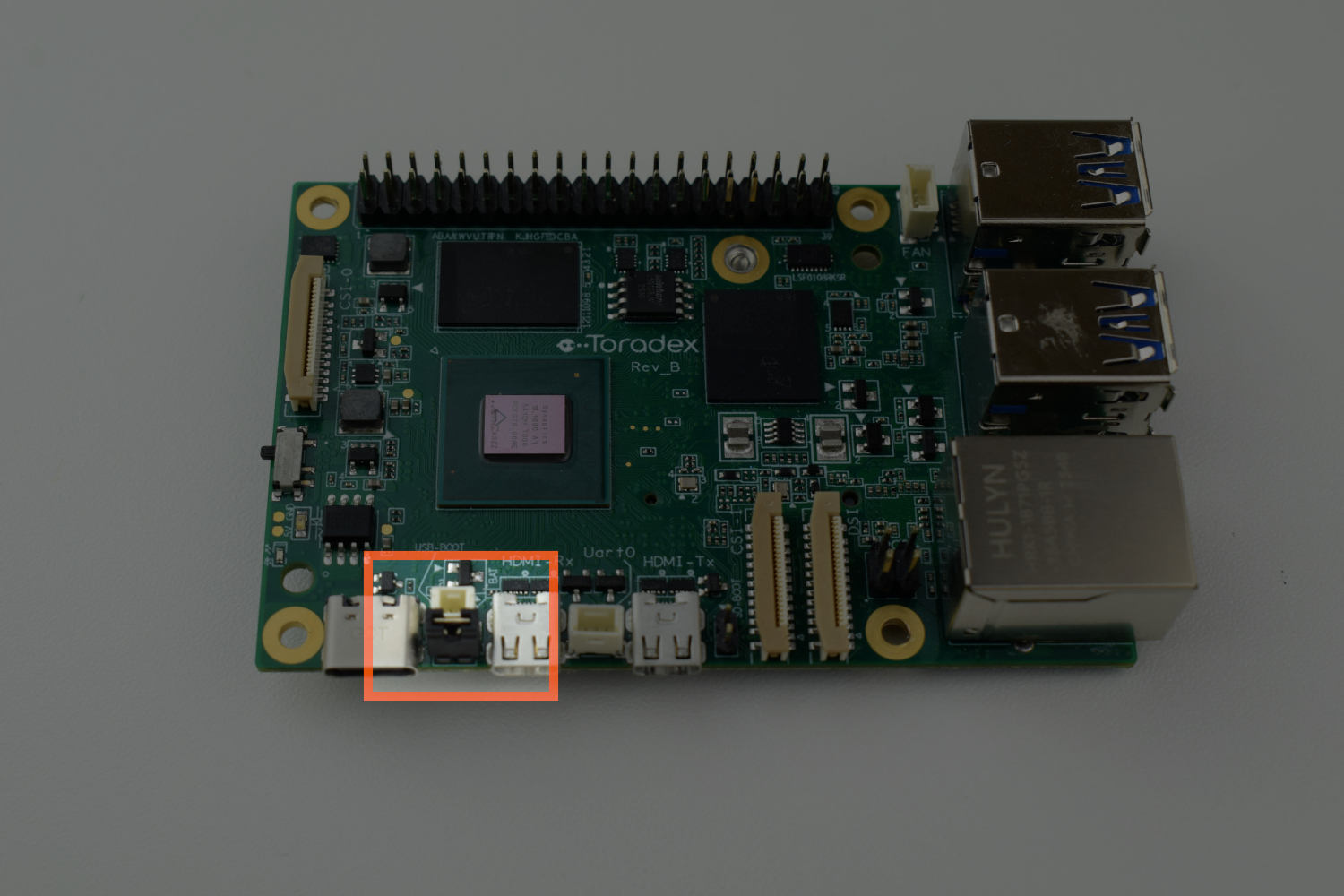
-
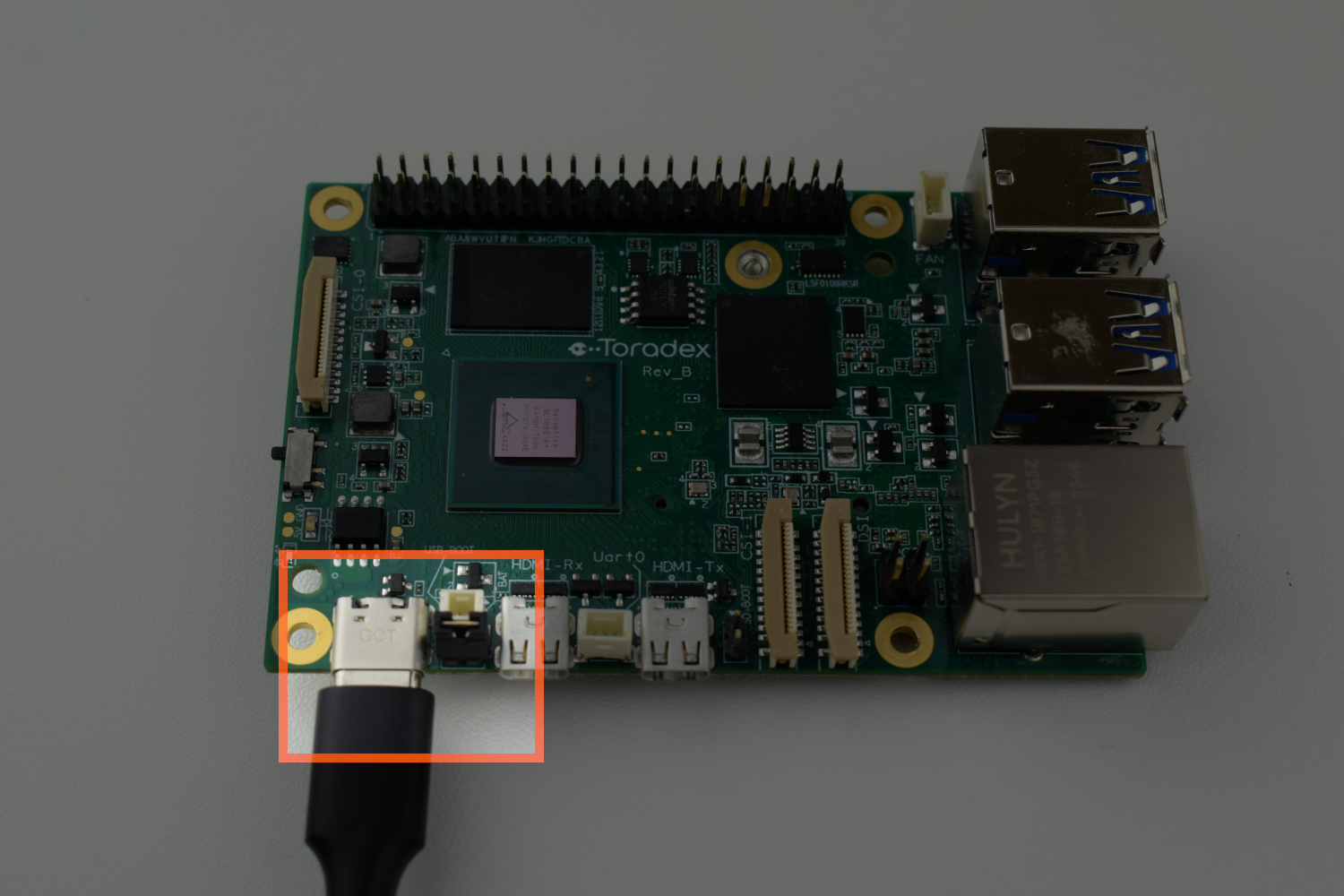
Connect the USB-C cable to the GCT connector (J213) and to the host computer.
Flashing the Image
-
Download
SYNAIMG.tar.gzimage file from the SBC section of the Download Links page. -
Extract the .tar.gz using the following command:
$ tar -xaf SYNAIMG.tar.gz -
Navigate to the
SYNAIMG-flashdirectory. -
Run the
flash-image.shscript to flash the image directly to the board.$ chmod +x flash-image.sh
$ ./flash-image.shThe program waits until it detects the USB device.
-
Turn the board on using the switch (S1)
If everything worked correctly, the following prints the following message:
Device: device:X-Y Update Complete -
Remove the jumper connector from the
USB_BOOTpins. -
Reboot the board.