Build Machine Learning Applications With TI Edge AI Stack
Introduction
In this article, you will learn about the workflow to execute Machine Learning demos using TI Edge AI stack on the Aquila AM69/TDA4 SoM.
TI Edge AI Stack
TI Edge AI Studio
TI Edge AI Studio is a web-based tool provided by Texas Instruments to support the development of Machine Learning applications on their platforms.
It provides a suite of tools and libraries that allow developers to easily create, optimize, and deploy Machine Learning models on TI hardware. After creating and training a model, TI Edge AI Studio can generate optimized code for TI's hardware accelerators, which can then be integrated into your application.
TI Edge AI Studio supports pre-trained models from Model Zoo for vision tasks, such as classification, detection, and segmentation. All of these models can be tested on real hardware remotely, allowing developers to evaluate their performance without needing to set up a local environment. However, it does not support custom models, so you will need to either use the pre-trained models provided in Model Zoo or convert your model to a format supported by TI hardware.
EdgeAI TIDL Tools
EdgeAI TIDL Tools is a collection of software tools and libraries provided by Texas Instruments. The toolkit includes Python libraries and command-line tools that allow developers to easily create, optimize, and deploy Machine Learning models on TI hardware.
It also integrates with Model Zoo pre-trained models. Additionally, it has support for custom models, allowing developers to train their own models using popular Machine Learning frameworks and then convert them to a compatible format for deployment on TI hardware.
EdgeAI TIDL Tools provides support for a wide range of Machine Learning frameworks, including TensorFlow, ONNX, and others, and can compile model artifacts for TI's hardware accelerators, such as the AM69/TDA4 deep learning accelerators.
Prerequisites
-
Hardware Prerequisites:
- Aquila AM69/TDA4
- A compatible Carrier Board
-
Software Prerequisites:
- Setup the environment for hardware acceleration as Aquila AM69/TDA4 Setup for Machine Learning guide
Demonstration
After setting up the environment and building a custom image with the Edge AI stack, you are now able to run Machine Learning applications on the Aquila AM69/TDA4 deep learning accelerators using the TI tools. This section demonstrates how to run object detection with pre-trained models from Model Zoo.
Since the environment is based on the Texas Instruments Yocto layers, it already includes several dependencies, such as ONNX Runtime and TensorFlow Lite with TIDL delegate support. For this demo, you will only need to install the onnx Python package:
# pip install onnx==1.20.1
After installing the required dependency, you can run the object detection demo using ONNX Runtime and TensorFlow Lite with the following scripts and resources: cat-detection demo.
Run the Object Detection demo using the following commands:
# python tflite-cat-detection-demo.py --image image.jpeg [--save]
# python onnx-cat-detection-demo.py --image image.jpeg [--save]
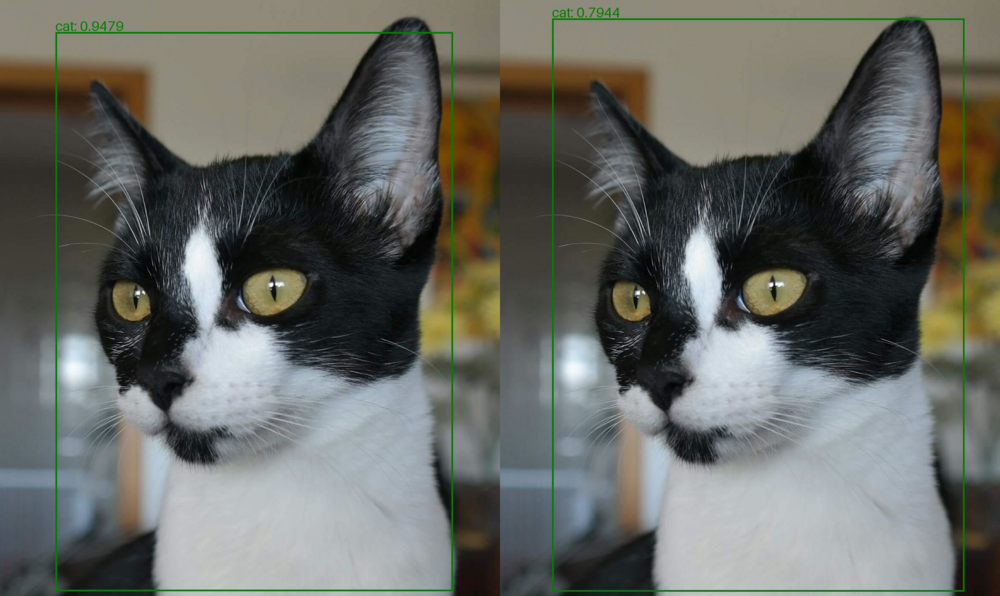
The output will show the detections and inference time for the cat-detection demo using the chosen runtime. If the --save flag is included, the script will also save the output images with the detected bounding boxes and labels.
{
    "onnx": {
        "runtime": "ONNX",
        "inference_time_ms": 6.65,
        "detections": [
            {
                "label": "cat",
                "score": 0.9479,
                "box": [
                    "xmin: 130",
                    "ymin: 75",
                    "xmax: 1062",
                    "ymax: 1387"
                ]
            }
        ]
    }
}
{
    "tflite": {
        "runtime": "TFLite",
        "inference_time_ms": 6.16,
        "detections": [
            {
                "label": "cat",
                "score": 0.7944,
                "box": [
                    "xmin: 122",
                    "ymin: 43",
                    "xmax: 1089",
                    "ymax: 1388"
                ]
            }
        ]
    }
}
Original image:
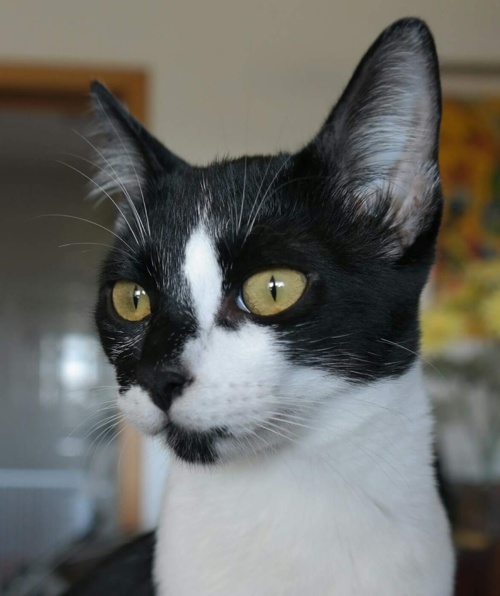
The image below shows the detections generated by ONNX Runtime and TensorFlow Lite, respectively: