Viola Carrier Board
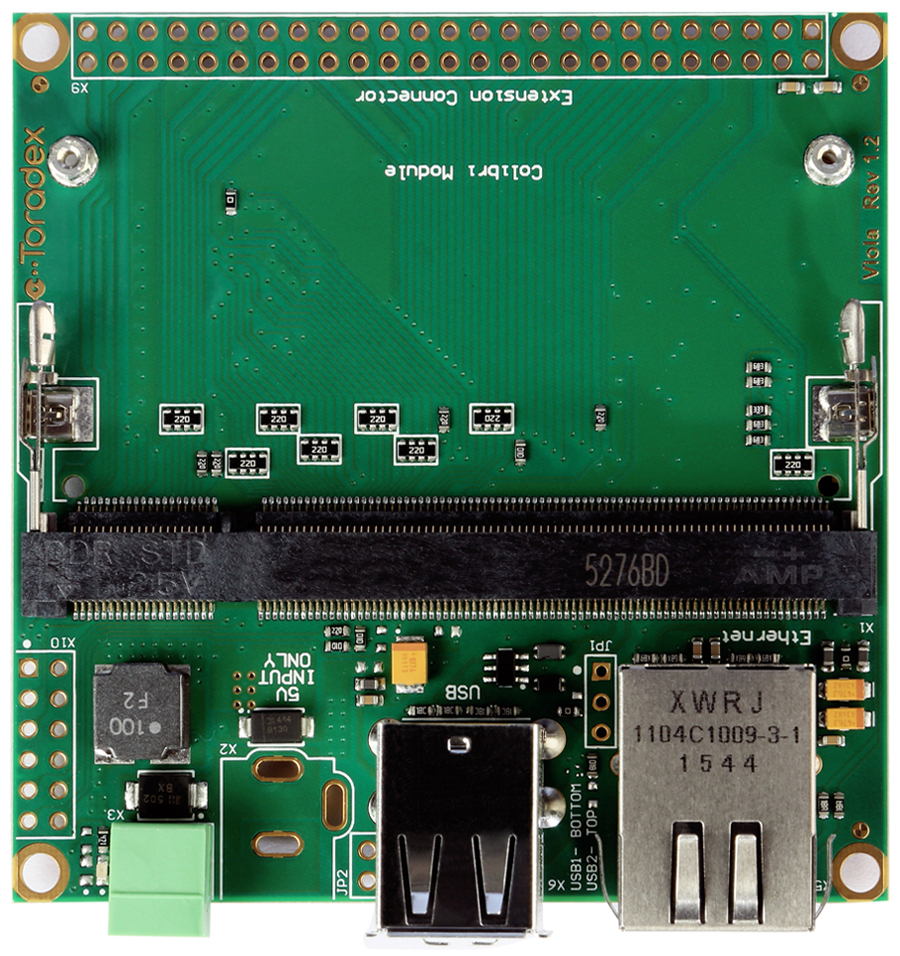
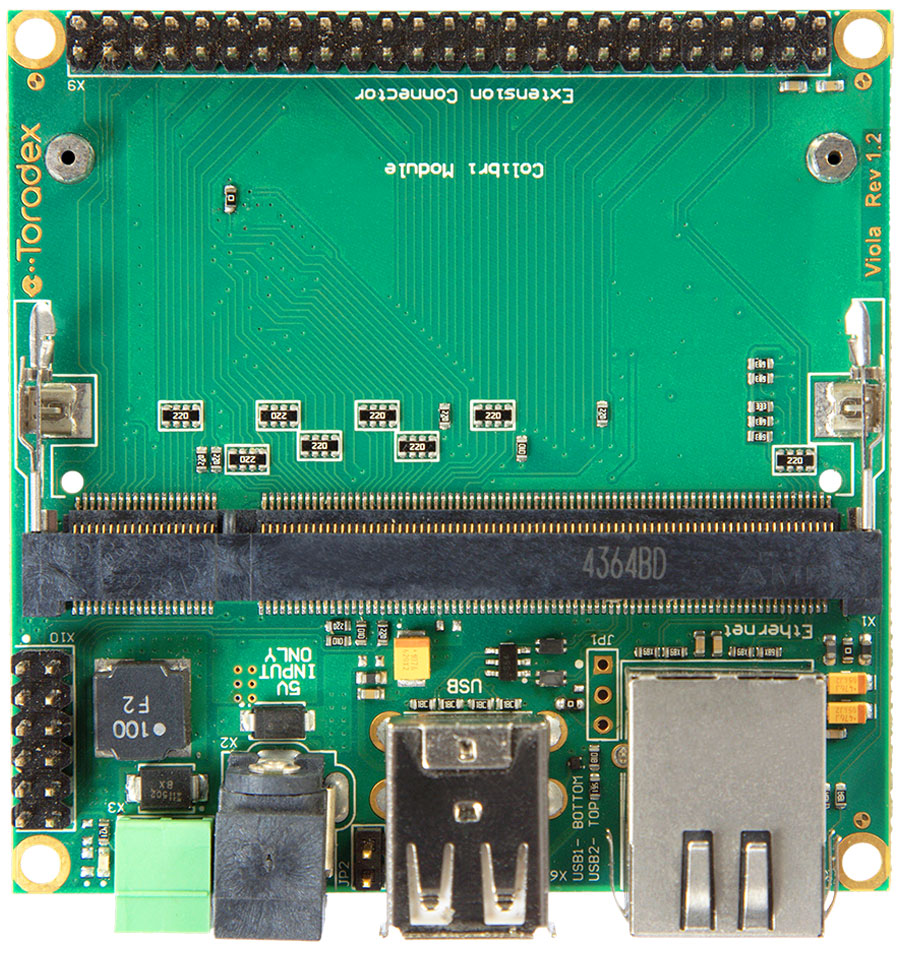
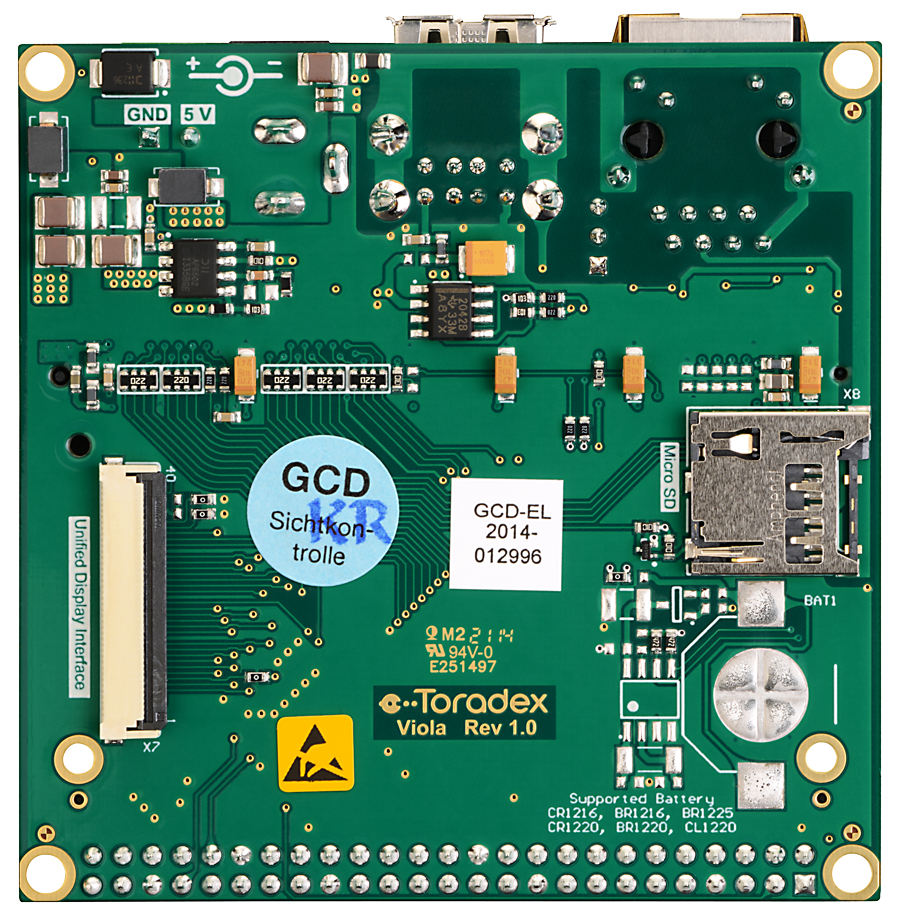
The Viola Carrier Board is the smallest off-the-shelf carrier board in the Colibri product family, giving you access to the main interfaces of the Colibri System on Modules (SoMs) in a compact, cost-optimized form factor, intended as a production platform. It's available in two assembly variants, Viola and Viola Plus, with Viola Plus adding interfaces such as the USB Client connector, the Extension connector, and the Audio connector.
Pair the Viola Carrier Board with your choice of Colibri System on Module (SoM) for a validated, production-ready Single-Board Computer (SBC), available in volume with long-term availability and support. The board and module are supplied separately for you to assemble.
For a custom version, Toradex Solutions can populate fewer features on the same PCB or design a new board based on it.
Free design resources also let you customize the board yourself, starting from a validated, supported design.
For evaluation and development, Toradex recommends using the Colibri Evaluation Board or the Iris Carrier Board instead.
This page provides hardware design resources, documentation, revision history, erratas, compatibility details, and getting started guides for developers working with the Colibri SoM family.
Getting Started
Recommendation for the First-Time Order
Toradex recommends ordering the following additional products for your first-time order:
All products are available for online purchase through the Toradex Webshop.
Quickstart Guide
Toradex doesn't provide a step-by-step Getting-Started guide for the Viola Carrier Board, since it's a production board and isn't recommended for first steps or development. For evaluation and development, use the Colibri Evaluation Board or Iris Carrier Board instead.
Product-specific information for the Viola Carrier Board:
Having trouble?
Please contact our technical support. Various options of technical support are mentioned below:
Product Features
Hardware Features
Components
Compatible Products
Accessories & Add-ons
- EDT Display
- Carrier Board Accessory Kit
- Capacitive Touch Display 7" Parallel [1]
- Resistive Touch Display 7" Parallel
- LM816 USB WiFi
- Analogue Camera Adapter
[1] Capacitive Touch Adapter is required.
Check other options and compatibility information on the add-ons product pages.
Block Diagram
* Please note that these features are module-specific and may not be supported by all the computer-on-modules in the Colibri family. For more details, refer to the datasheet of Colibri computer-on-modules.
Pinout Evaluation & Planning
Product Documents
Datasheets
Viola Carrier Board V1.2
Viola Carrier Board V1.1
Viola Carrier Board V1.0
Design Resources
Viola Carrier Board Design Data V1.2
- Viola Altium Project (Altium Designer Release 10)
- Viola PDF Schematics
- Viola Assembly Drawing
- Viola Bill of Materials (BOM)
Viola Plus Carrier Board Design Data V1.2
Viola Carrier Board Design Data Archive
- Viola Altium Project
- Viola Board Schematics
- Viola Assembly Drawings
- Viola Board Bill of Materials (BOM)
Viola Carrier Board Mechanical Models
Viola Plus
A basic 3D model for the Viola Plus Carrier Board can be downloaded here:
- SolidWorks CAD model 3D EASM model
- You can download the free eDrawings model viewer from SolidWorks here
- 3D STEP model that can be opened and modified in any 3D CAD
- 3D PDF model that can be opened in Adobe Reader
Viola
A basic 3D model for the Viola Plus Carrier Board can be downloaded here:
- SolidWorks CAD model 3D EASM model
- You can download the free eDrawings model viewer from SolidWorks here
- 3D STEP model that can be opened and modified in any 3D CAD
- 3D PDF model that can be opened in Adobe Reader
3D CAD model for previous versions of the Viola Carrier Board can be downloaded from the archive:
Design and Layout Guide
Altium Designer
Software Ecosystem
Toradex-Supported Linux Platforms
The following Linux-based offerings are in-house supported - pre-built images available for quick evaluation:
-
Torizon OS - open source, easy to use industrial Linux operating system
-
Yocto Project Reference Images - reference images for Yocto Project, a great starting point for customized Linux images
Industry and Partner Software Ecosystem
For detailed instructions about software development, including other operating systems for Toradex Computer on Modules - QNX, Android and more - check out our software ecosystem page:
Development Resources
Installing the Operating System
Toradex products come with Toradex Easy Installer pre-installed. Once you power-on the board, it will display a list of available images to be installed. Check out how to get started with the Toradex Easy Installer:
You might need to enter recovery mode:
You can also install the compatible pre-built images available for download:
Connecting to the Board
During development, you will need to communicate the board with your host machine:
Revision History
Click to See the Product Numbering Scheme
Product Number (PID8) Format
The format of the 8-digits Product Number (PID8) is the following:
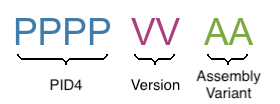
The below table describes the structure of the Product Number (PID8):
| Field | Description |
|---|---|
| PPPP | 4-digits number, indicating the Product Configuration (PID4) that describes the key properties of the product (e.g. Product Group, RAM capacity, etc.) |
| VV | 2-digits number, indicating the Major and Minor Version (in that order) |
| AA | 2-digits number, indicating the Assembly Variant |
See the complete list of available combinations on the Revision History table of the corresponding product page.
Example
Product number (PID8): 00291100:
0029: Apalis iMX6D 512MB
11: Major Version 1, Minor Version 1, Version V1.1 in short
00: Assembly Variant A
A specific product revision has a lifecycle defined by the product state. Learn more about it on the Product Change Notifications.
0137 Viola Carrier Board
| Product # | Product Description | Changes from Previous Version | Release Date | PCN Document |
01371000 | Viola Carrier Board V1.0A | Sample Version | 2014-07-01 | Sample Product, No PCN |
01371100 | Viola Carrier Board V1.1A | Rearranged GPIO/PWM signals on Connector X9 | 2014-09-05 | PCN Viola Carrier Board V1.1A 2015-01-08 |
01371200 | Viola Carrier Board V1.2A | See Viola Comparison article for details | Q3/Q4 2015 | PCN Viola Carrier Board V1.2A 2017-12-20 |
01371201 | Viola Carrier Board V1.2B | Fixed battery errata | 2017-12-20 |
0142 Viola Plus Carrier Board
| Product # | Product Description | Changes from Previous Version | Release Date | PCN Document |
01421200 | Viola Plus Carrier Board V1.2A | See Viola Comparison article for details | Q3/Q4 2015 | PCN Viola Carrier Board V1.2A 2017-07-10 |
01421201 | Viola Plus Carrier Board V1.2B | Solving battery holder issue of Errata #1. | July 2017 |