NXP Hardware Support
- FRDM i.MX 93 Development Board (i.MX93)
How to Get Started
Installing Torizon
-
Download the appropriate Torizon OS image from the Toradex Download Center.
-
Flash the
.wicimage to the SDCard, replacing<torizon-os-version>with the version you downloaded and<sdcard-device-node>with your SDCard device node, for example:/dev/sdb.$ zstdcat if=torizon-docker-imx93-11x11-lpddr4x-frdm-<torizon-os-version>.wic.zst | sudo dd of=<sdcard-device-node> -
Change the board boot switch to
ON ON OFF OFF(from left to right) to boot from an SDCard. For more information regarding hardware setup, refer to NXP's Quickstart.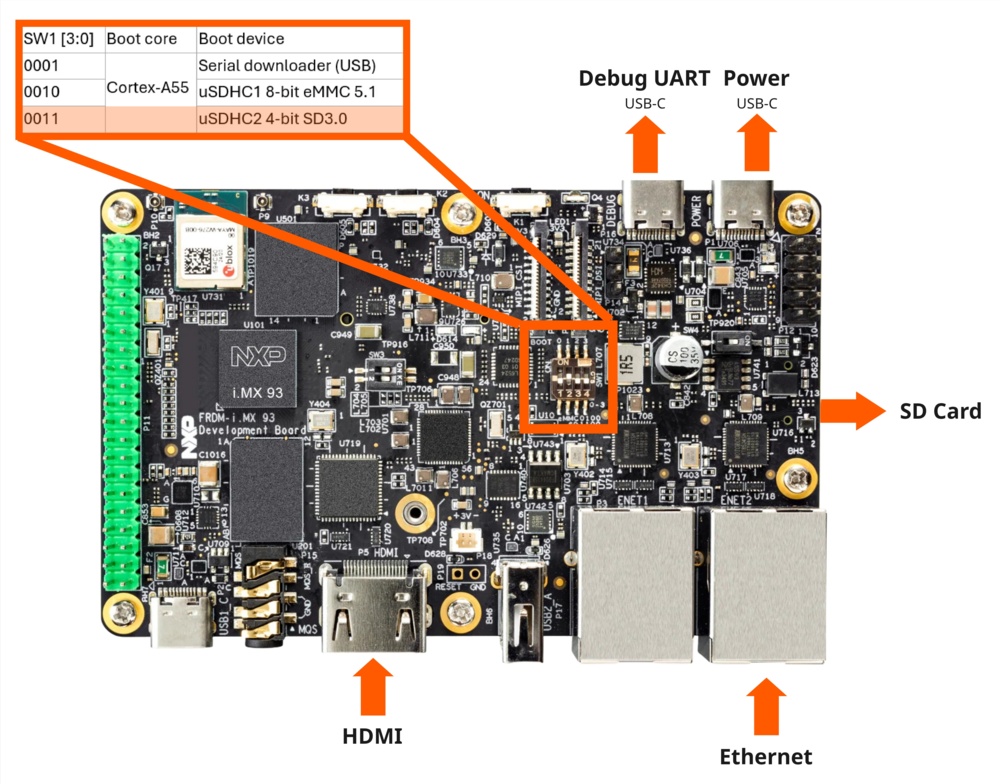
-
Insert the SDCard and power on the board.
-
Establish a serial connection with the board (using
picocom, for example), and login with the default credentials. The default password for the usertorizonistorizon.$ picocom -b 115200 /dev/ttyUSBx -
Change the password when prompted and establish a new session.
Deploying an Application
-
Create an account on https://app.torizon.io/.
-
Go to the
Hardware > Devicestab. -
Click
Provision Device. -
Choose a pairing method, then follow the on-screen instructions to connect your device to Torizon Cloud.
-
Access the Torizon Demo Gallery and remotely deploy a sample application to the board.
tipFor detailed instructions, see the Torizon Demo Gallery step-by-step guide.
Updating
-
Open the Packages list in your Torizon Cloud account.
-
Select
Manage Sources. -
Check if
Common Torizon Pre-Releasesource is enabled to provide the Engineering Pre-Release Torizon OS package source for the FRDM i.MX 93.Enabling Common Torizon Pre-Release source
On the Manage Sources page:
-
Select
Add Source.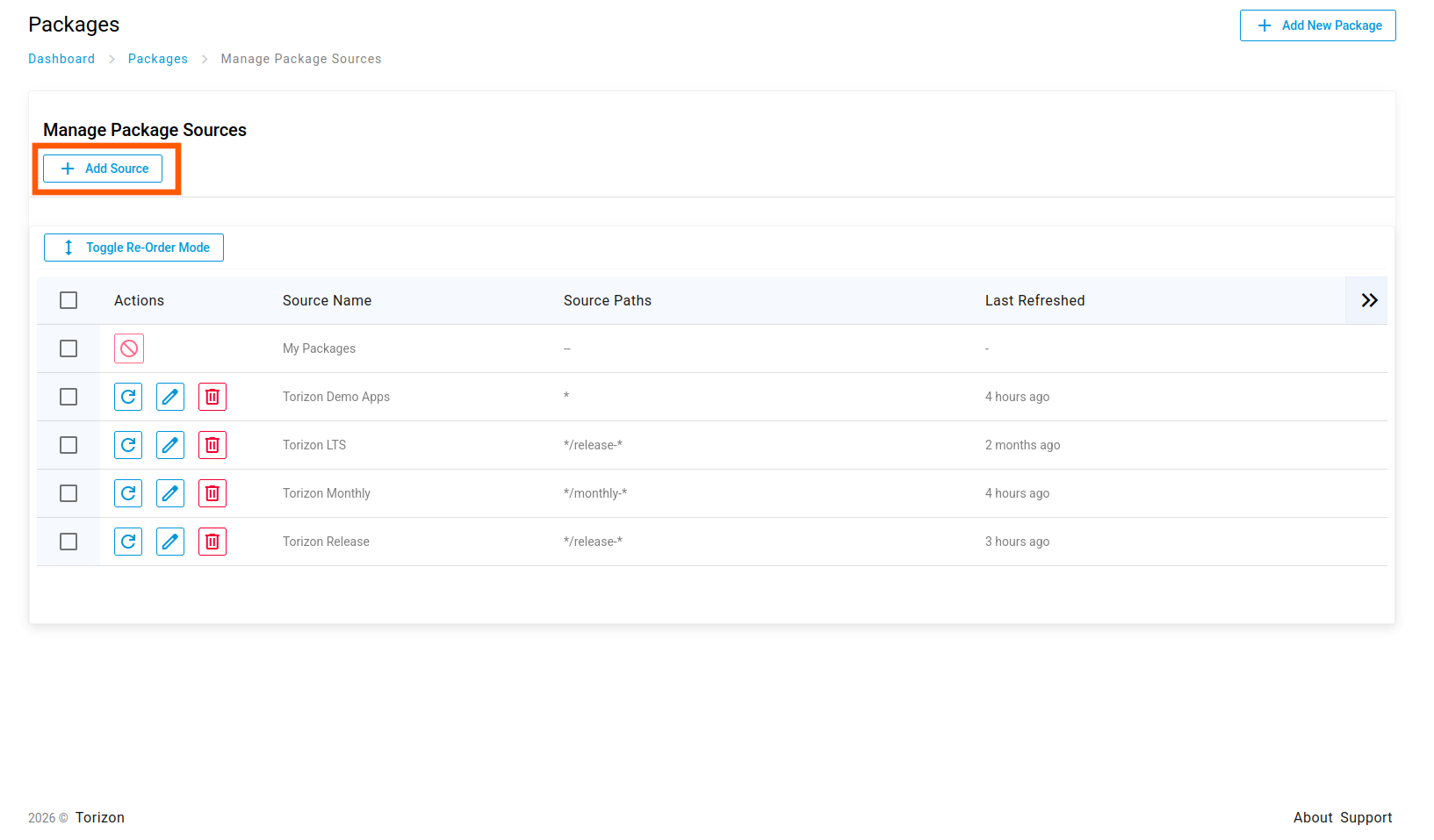
-
Select
From URL. -
Select
Common Torizon Pre-Releasefrom the list.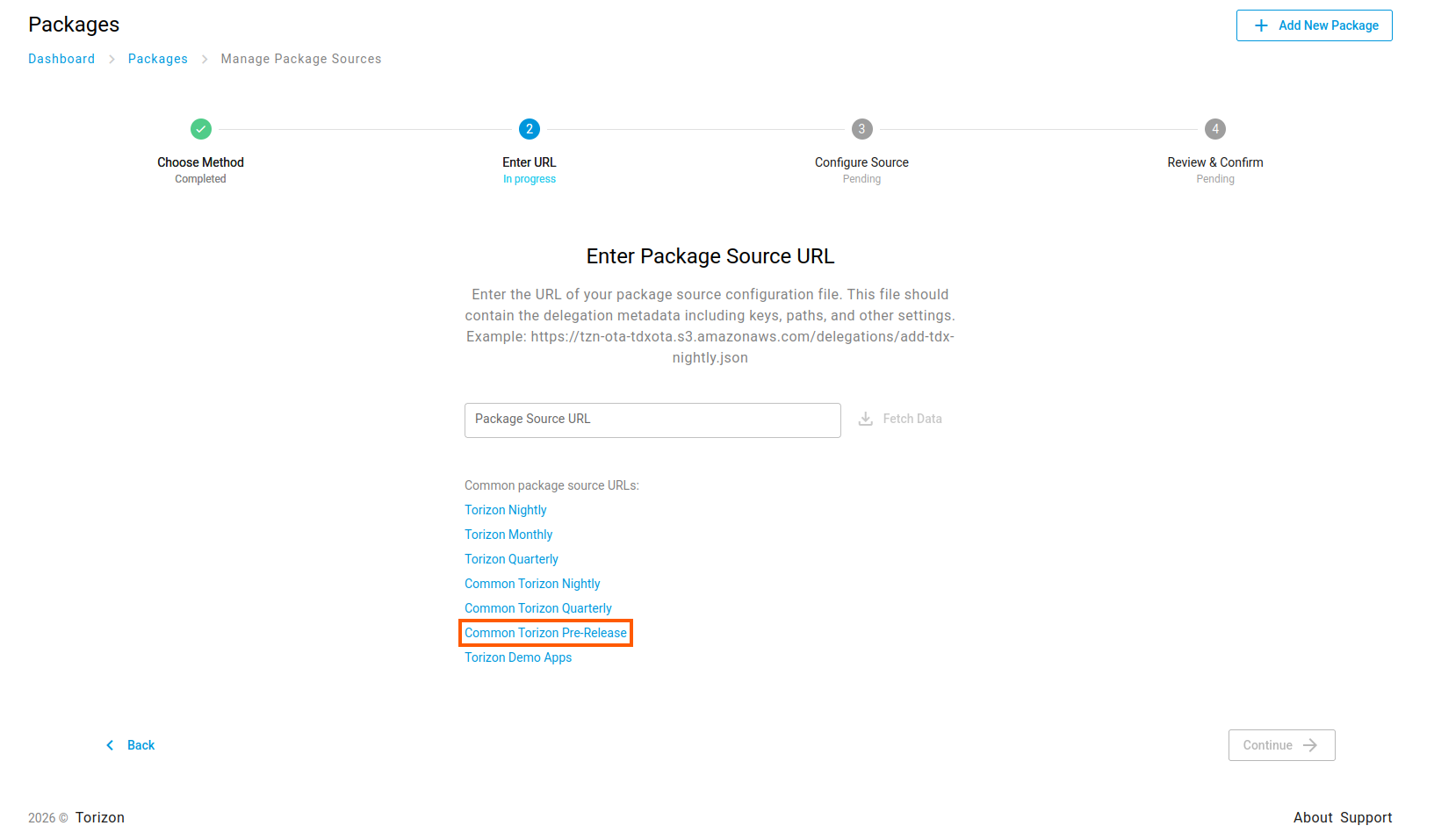
-
Select
Fetch Data. -
Select
Continue. -
Review the information, save and exit.
-
-
Return to the Packages list, filter for
imx93frdm, and trigger the OS update on the target device.
For more information, or if you want to build Torizon OS from source using Yocto, read the full documentation for NXP boards available on the Torizon GitHub.