Torizon Vulnerability Manager Overview (Beta)
Introduction
The Torizon Vulnerability Manager is a security management feature integrated into Torizon Cloud. This tool enables developers and product teams to identify, assess, and remediate software vulnerabilities throughout the entire lifecycle of their embedded Linux products.
Key Capabilities
- Automated Scanning: continuously checks Toradex OS builds against upstream Common Vulnerabilities and Exposures (CVE) databases;
- Centralized Dashboard: a visual interface in Torizon Cloud presents a breakdown of currently known vulnerabilities for published releases;
- Expert Analysis: for every high- or critical-severity vulnerability in any component, Torizon security experts triage and analyze the vulnerability so you don't have to. Medium- and low-severity vulnerabilities are not part of this manual analysis process.
- Seamless Workflow: Torizon security patches and Secure Updates helps you stay vulnerability-free;
- Decoupled Release Cycles: Torizon Containers keep the application dependencies stable across a base OS update, so the application, the operating system, and the subsystems ship on separate cycles;
- Compliance Support: facilitates adherence to regulations such as the EU Cyber Resilience Act (CRA).
Introduction to Vulnerability Management
The EU Cyber Resilience Act mandates that manufacturers:
"identify and document vulnerabilities and components contained in products with digital elements, including by drawing up a software bill of materials in a commonly used and machine-readable format"
and
"address and remediate vulnerabilities without delay"
This means that manufacturers now have the legal obligation to stay on top of potential vulnerabilities, and have appropriate internal processes for dealing with them.
CVE Analysis Methodology and Threat Model
Torizon's Vulnerability Manager relies on an in-house developed and maintained threat model and analysis methodology designed around typical embedded Linux deployments used by Toradex customers.
This model considers common system architectures, deployment patterns, and exposure scenarios to assess whether a given vulnerability is relevant and exploitable in practice. While the methodology is continuously refined, it reflects real-world usage of Torizon-based devices across industrial and Edge AI applications.
For customers with specific security or compliance requirements, Toradex offers the option to align the analysis with a custom threat model tailored to the end product on the Enterprise tier.
Vulnerability Report Procedure
The process usually unfolds in six key steps:
- Step 1: identify all of the software components in your product, for example by drawing up an accurate and actionable SBOM;
- Step 2: check public vulnerability databases for vulnerabilities in each component;
- Step 3: for each vulnerability found, determine whether the vulnerability report is accurate;
- Step 4: for each accurate report, determine if it actually presents a risk to the security model of your product;
- Step 5: for each vulnerability that presents a risk to the security model of your product, address, and remediate the vulnerability;
- Step 6: issue a software update with the mitigation applied.

Access to Vulnerability Manager
Steps 1 to 4 of that procedure are where the effort goes, and Vulnerability Manager does them for Torizon Cloud users. Torizon security experts triage every high- and critical-severity CVE in a published Torizon OS build, recording the verdict, the VEX justification, and the reasoning behind it. What remains is a shorter list to act on, with evidence behind every entry that was ruled out.
Vulnerability Manager is a paid add-on to Torizon Cloud. It is not part of any Torizon Cloud plan, so a Developer or Professional subscription on its own does not grant access to it. The Vulnerability Manager entry in the Torizon Cloud sidebar carries an add-on badge to make this distinction visible.
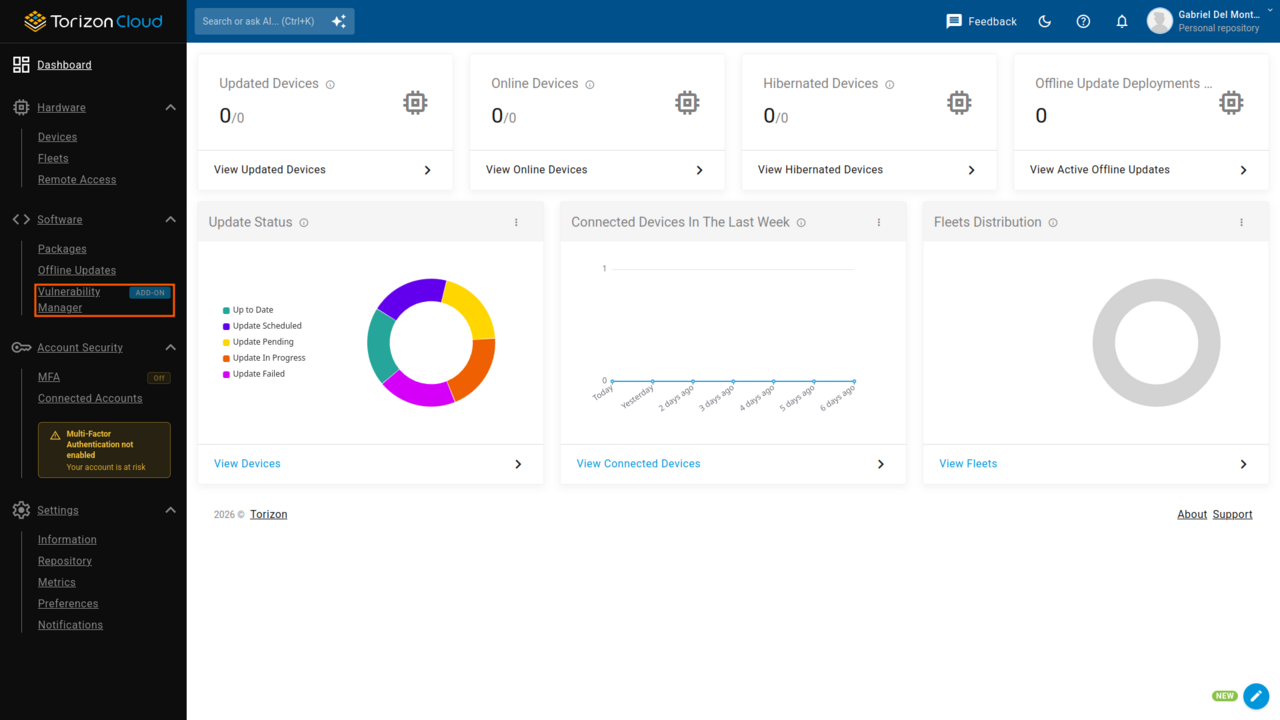
Any Torizon Cloud account, on any plan, gets a preview at no cost:
- The list of Torizon OS packages that have a vulnerability report
- Daily automated scanning of Torizon OS builds against upstream CVE databases
- The first level of the CVEs Overview chart
The add-on unlocks the part of the report that turns a CVE count into a decision:
- The complete CVE Breakdown table, with its search, sorting, and filters, to reach the entries that need attention in a few clicks
- Drill-down analysis for each CVE, including the expert explanation behind every verdict
- SBOM export in CycloneDX + VEX format, ready to feed compliance evidence into third-party tooling
The SBOM itself is not add-on content. Toradex publishes an SPDX and a CycloneDX SBOM for every Torizon OS build on Toradex Artifactory at no cost, and the add-on adds the VEX analysis to it.
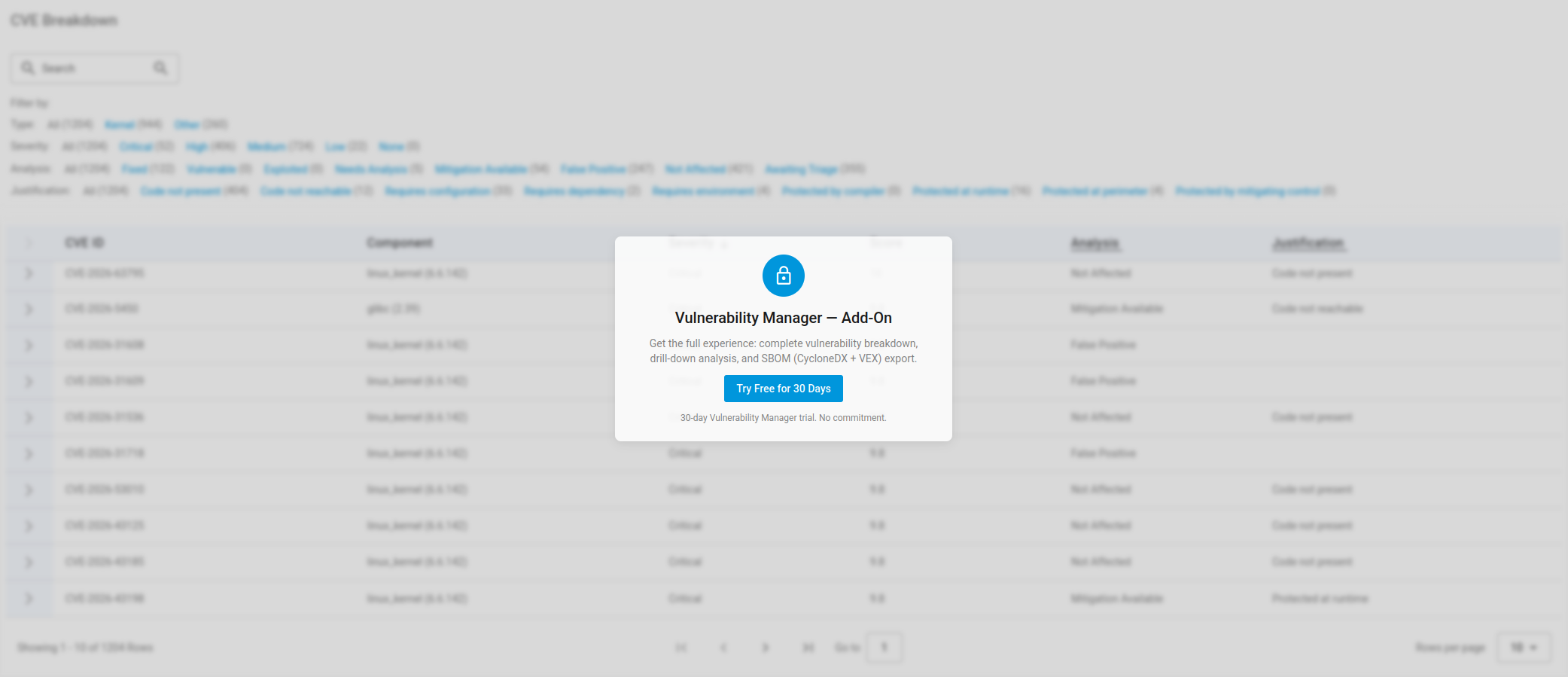
Without the add-on, the CVE Breakdown appears blurred behind an access notice:
Vulnerability Manager Trial
Every Torizon Cloud plan tier can start a 30-day Vulnerability Manager trial from the access notice on the Vulnerability Manager page. During the trial, you can run a complete assessment on a build already in production and see how much of the CVE list the analysis clears. The full report unlocks immediately, with no purchase commitment.
This trial is independent from the Torizon Cloud commercial tier free trial in Torizon Cloud Overview. Starting one does not start or extend the other.
When the trial ends without a subscription, the report returns to the free view. To subscribe, or to discuss the analysis scope for a specific product, contact the Toradex sales team.
Next Steps
To understand how to use the Vulnerability Manager with a guided article, refer to How to Assess Torizon OS Images for CVEs documentation.