Application Updates Overview
Introduction
You can update your application using the Container Updates feature of Torizon Cloud.
Create an Application Package
To create a package for containers update on the Torizon Cloud, you can either:
- Use the Visual Studio Code Extension for Torizon to upload a package.
- Use TorizonCore Builder to sign and upload a container.
- Manually create an Application package uploading a Docker Compose file (
.yml).
Learn how to create an application package by checking the images following (click and slide or use the arrows):
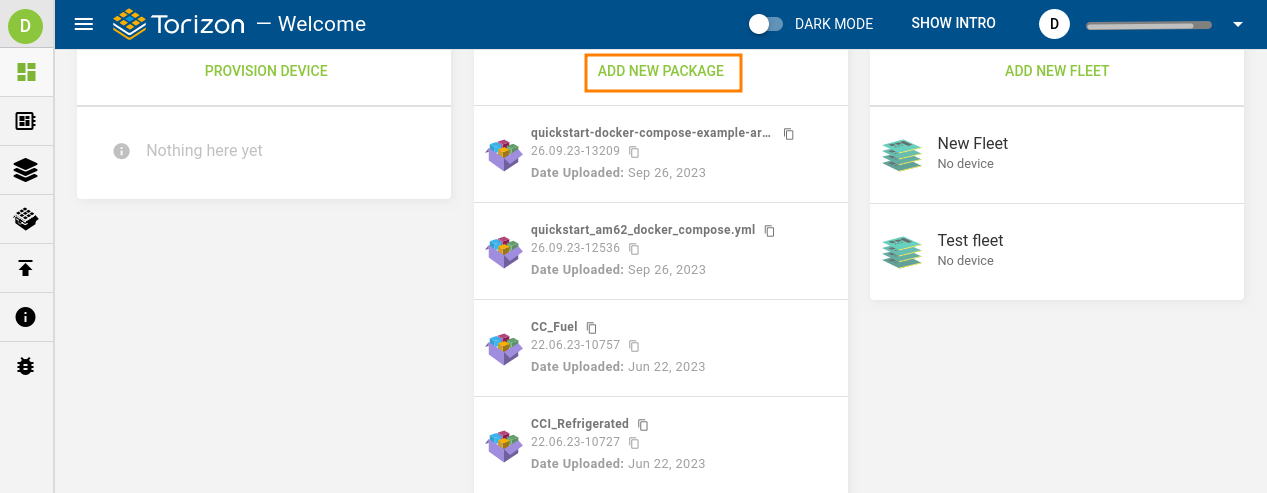


(Double-Click to Zoom)
Docker Compose is a tool for defining and running multi-container Docker applications. Learn more about it and how to generate one in:
- Visual Studio Code Extension for Torizon if you are developing with VS Code. Note that, while VS Code allows you to export a Docker Compose file, it also allows you to transparently upload it to the Torizon Cloud, which is easier.
- Using Multiple Containers with Torizon OS for a conceptual overview, or if you are using the command-line.
Update Application
Learn how to initiate an application update by checking the images following (click and slide or use the arrows):
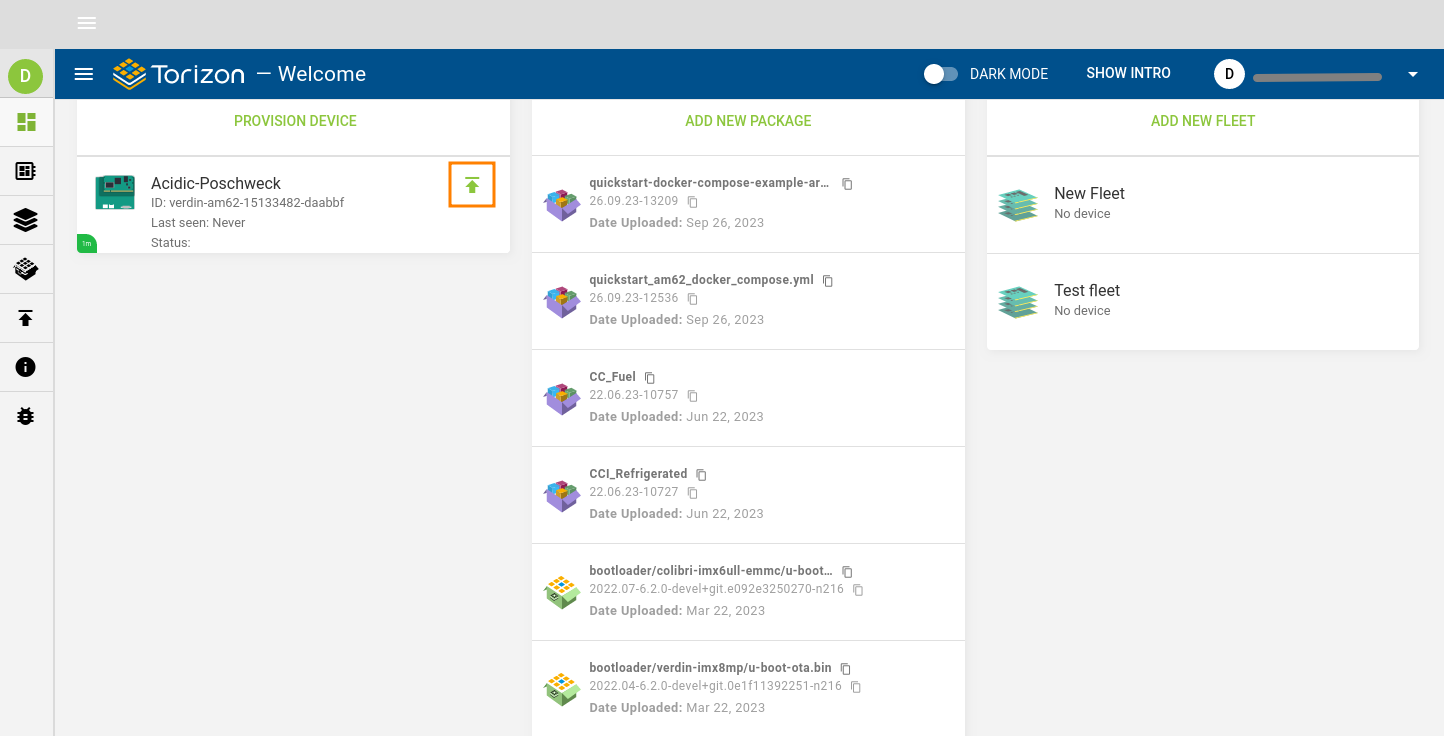
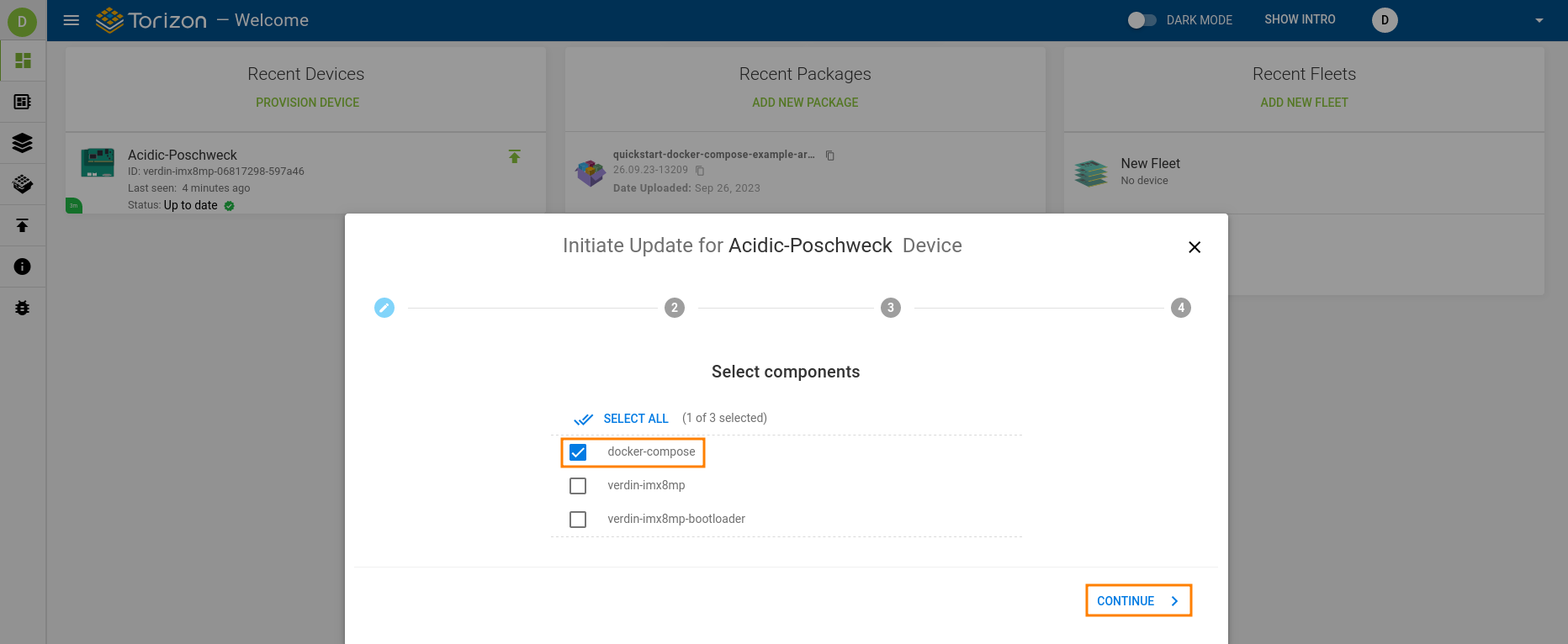
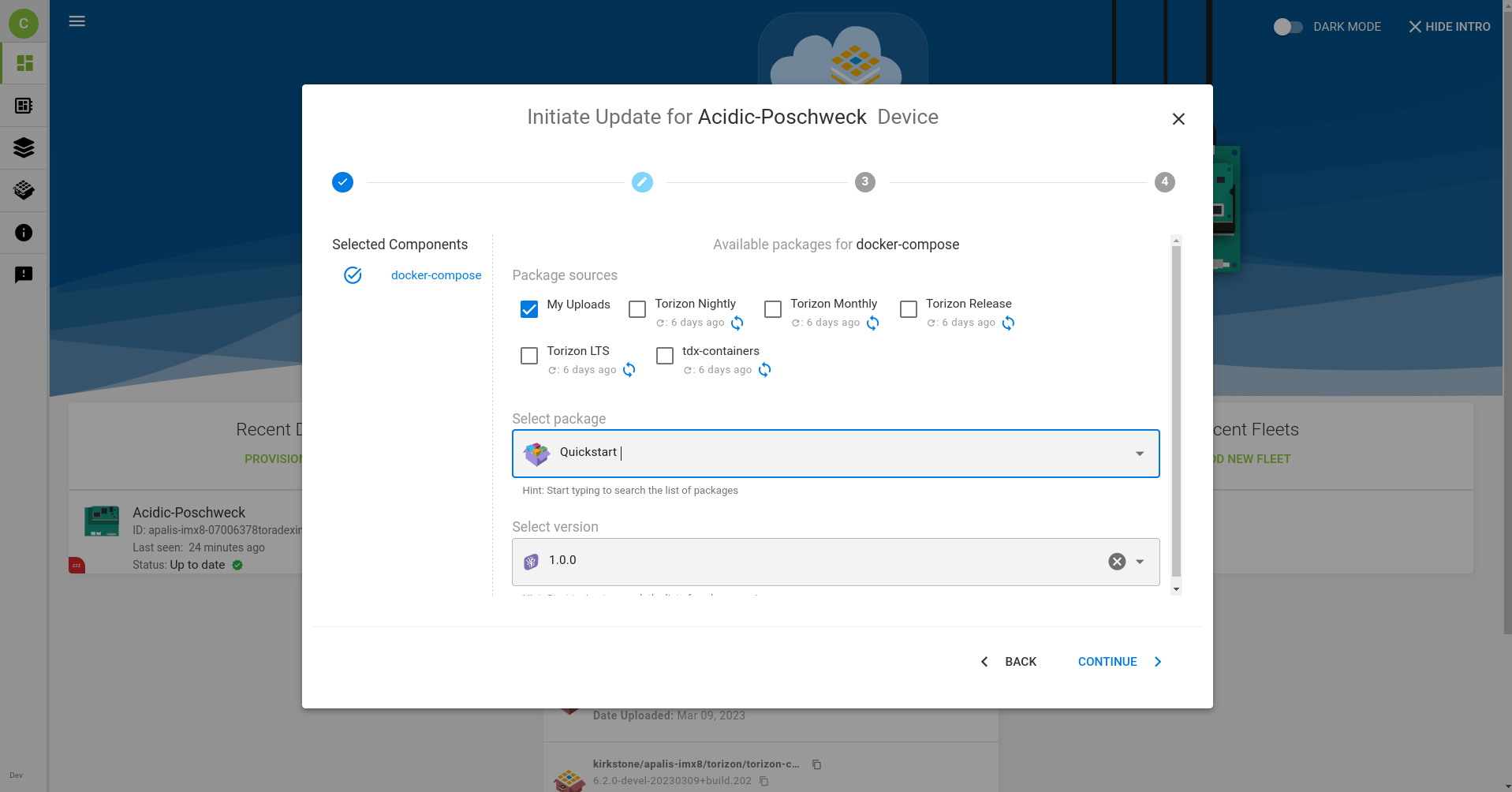
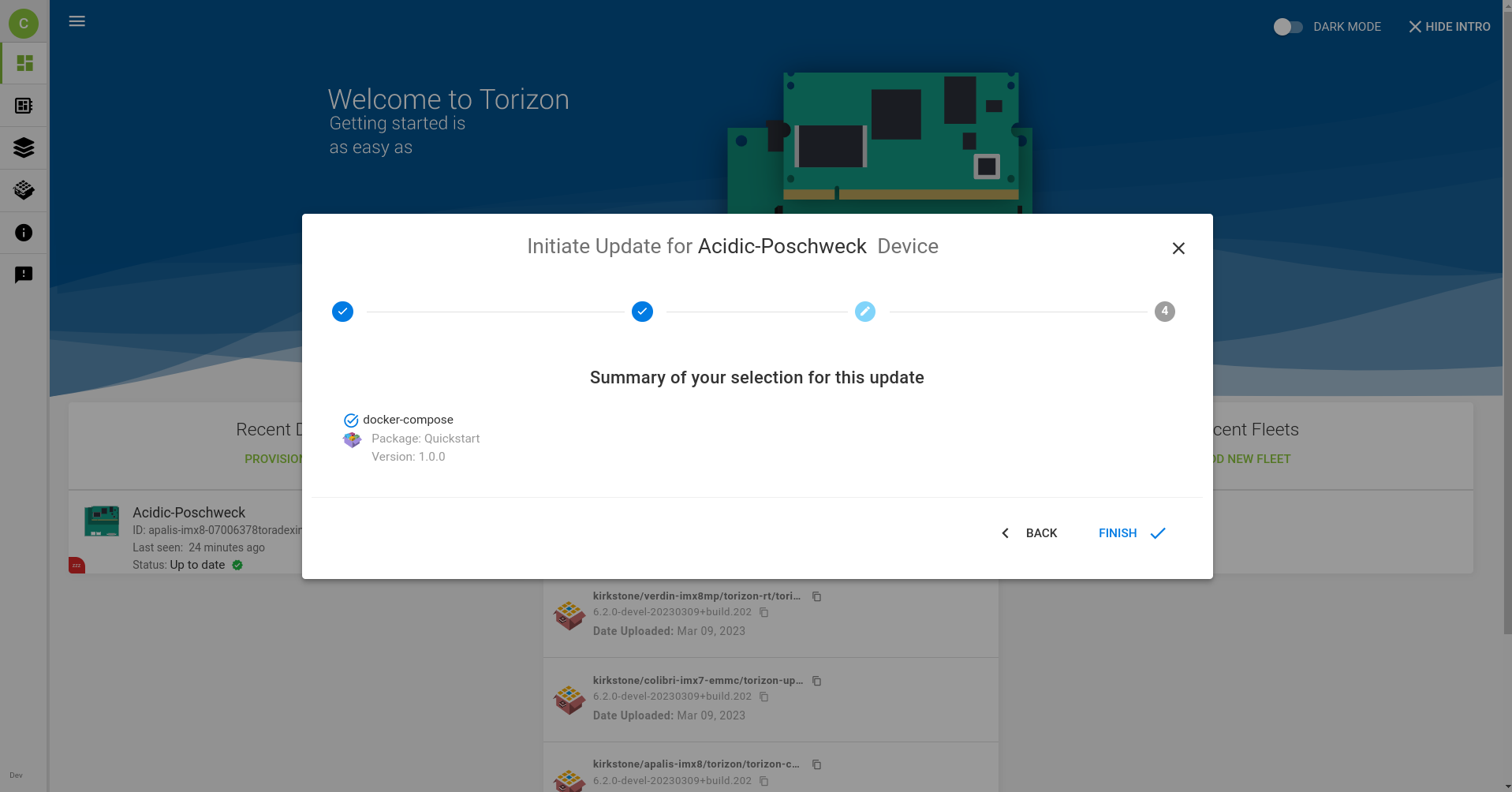
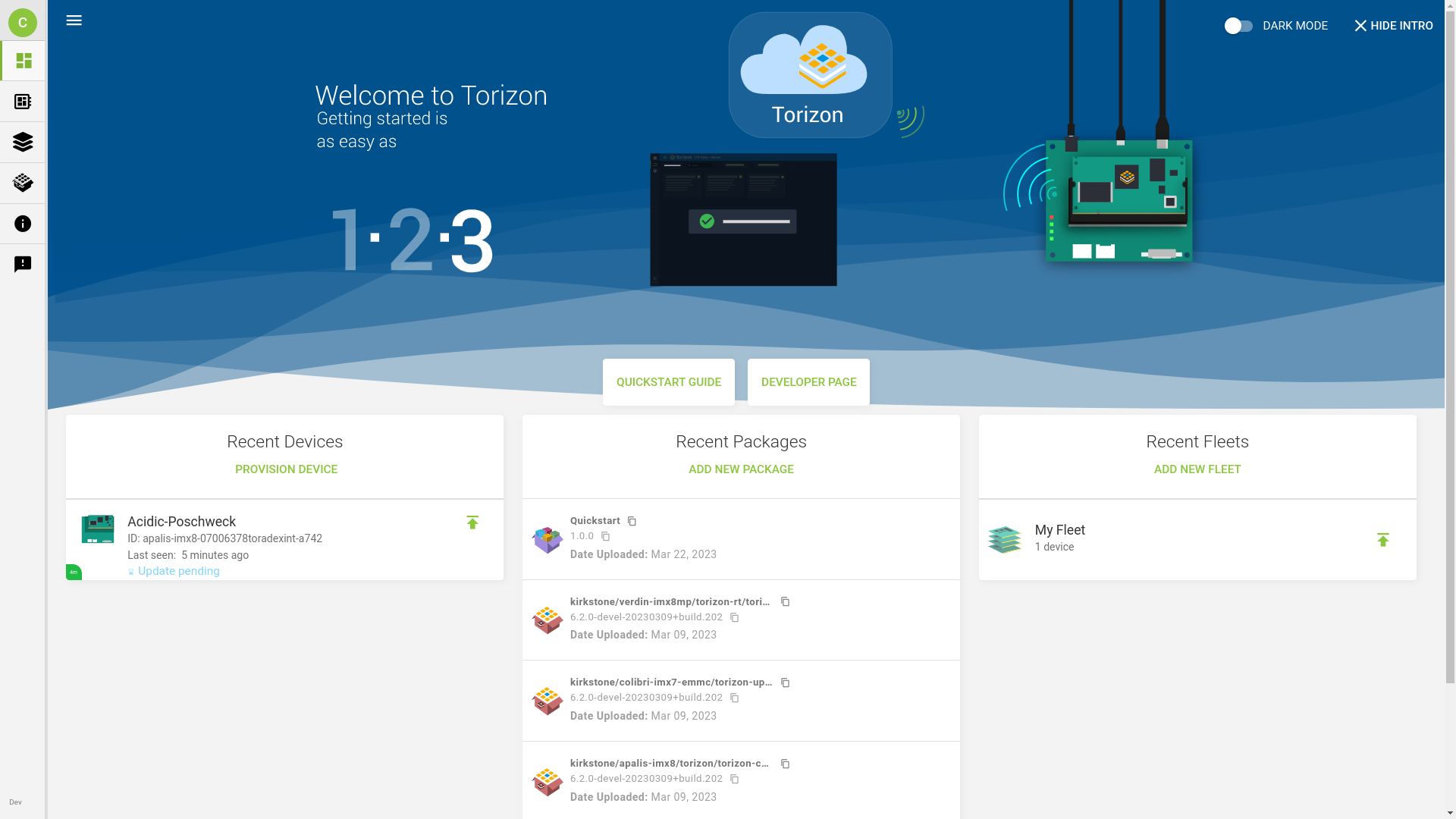
(Double-Click to Zoom)
Webinars
Toradex has presented webinars about Secure Offline and Online Updates and you can watch them on demand.
Secure Offline and Online Updates for Linux Devices
Learn more about this webinar on the landing page, or watch it following: